


Create stylish shirts made with Cricut and vibrant Super Pop HTV for a fun DIY clothing project that shows off your personality.

Don't you love how t-shirts can be creative, hilarious, and sometimes a little too accurate?
This project is all about making shirts made with the Cricut that let you show off your style in a fun and personal way.
It is perfect for anyone who loves easy DIY projects and wants custom designs without spending a fortune.
By the end, you will have a shirt you will actually wear, and the steps to make even more.
Jump to:
Skill Level: Beginner
Total Time: 20 minutes
Craft Tutorial Video
If videos are your thing, you're in luck-I've got a full tutorial ready for you!
Subscribe to my YouTube channel and stay inspired with every new project.
Supply List
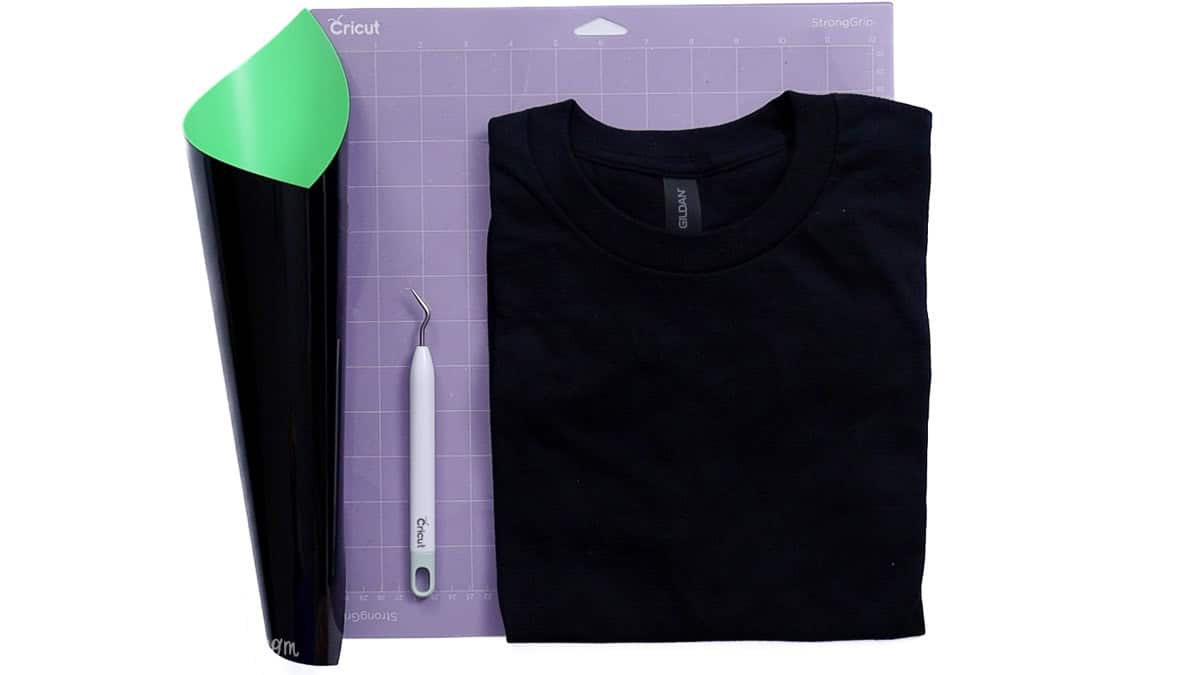
- Cricut Cutting Machine
- Free Nope SVG
- StrongGrip Mat
- Super Pop 700 HTV
- Weeding Tools
- Comfy T-Shirt
- Heat Press
- Additional Heat Press Mat
Sadly, the Cricut Autopress has been discontinued, but the Cricut EasyPress is a great option!
Grab the Free SVG

Measure
To begin, measure the front of the shirt to determine the design size.
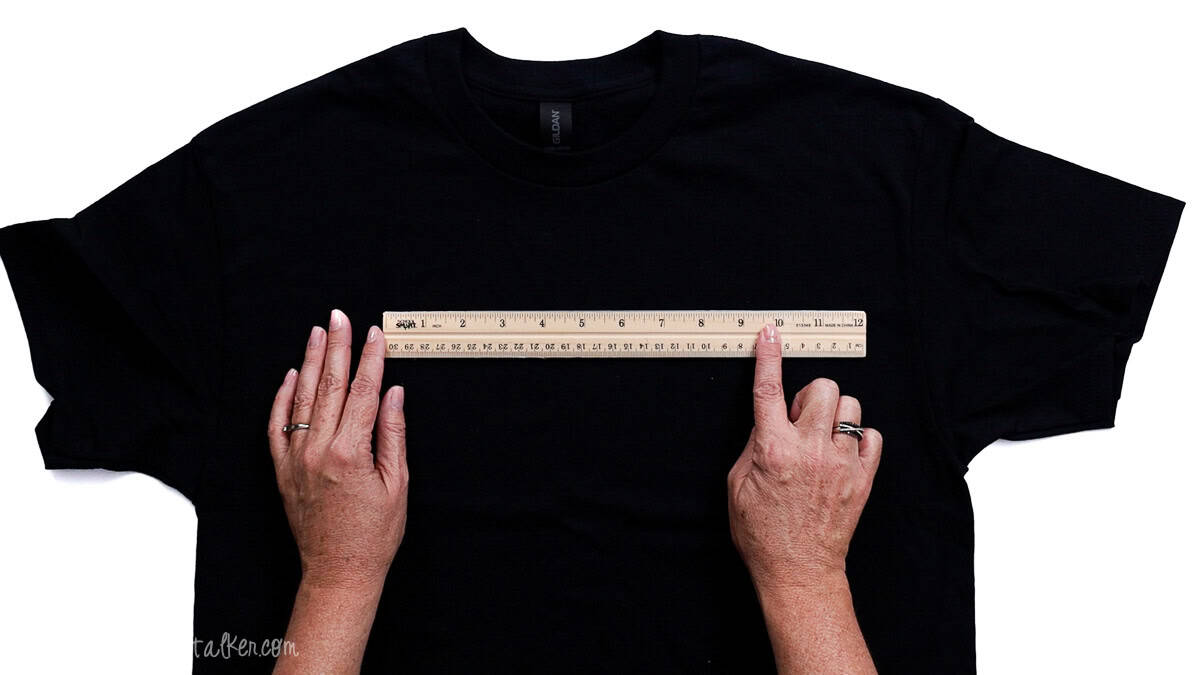
My shirt is a medium, and I selected a width of 9.5 inches.
Cricut Design Space
For the following steps, I'll be using Cricut Design Space.
If you use Silhouette Studio or another design software, your steps may differ from mine.
To start, upload the SVG into Cricut Design Space and add it to your Canvas.
How to Create an Offset
For this design, I am creating an offset to really help showcase the Super Pop HTV.
Highlight the design, select Offset, change the distance to 0.05 inches, and hit Apply.

In the layers panel, select the offset layer, then create a second offset of 0.05 inches and click Apply.
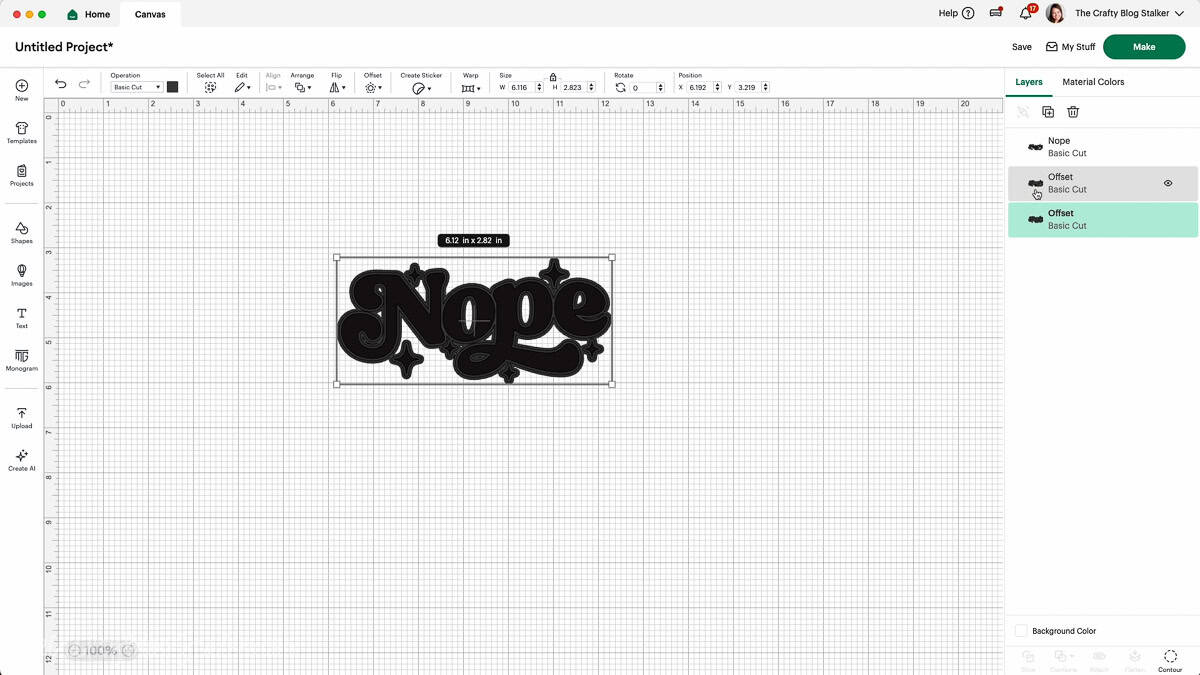
Highlight both offset layers and hit Slice.
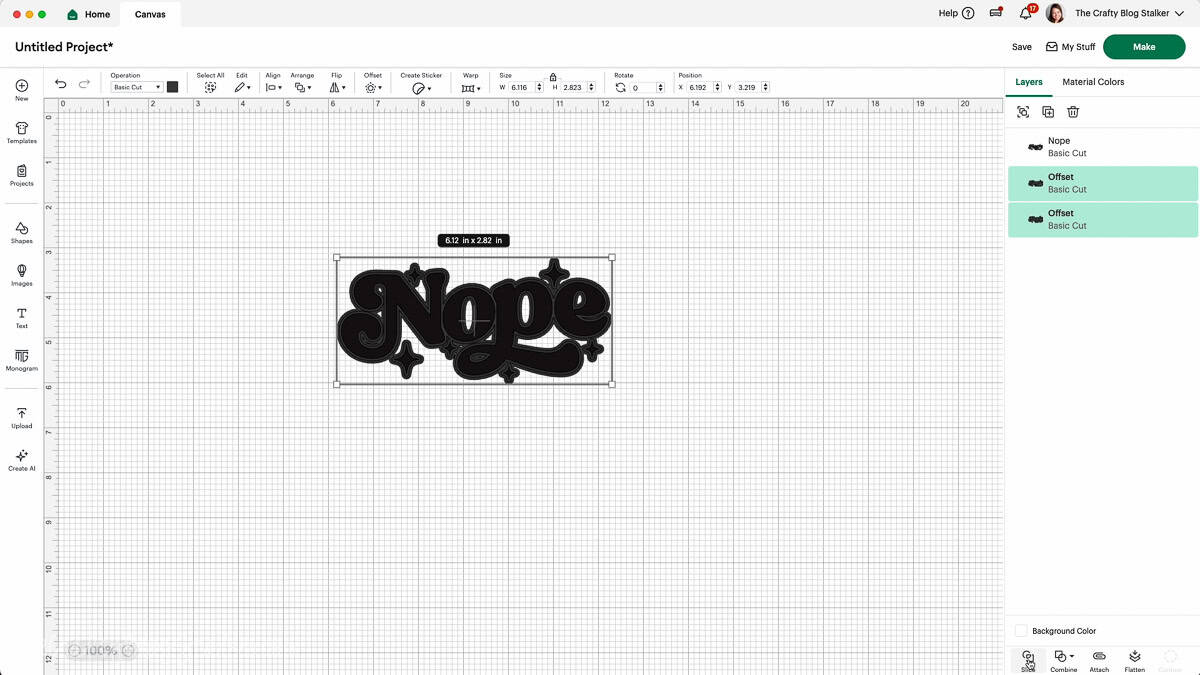
Separate the different layers. Keep the original and the outline that leaves space around it. Delete the other layers.
The original design should fit perfectly inside the outline.
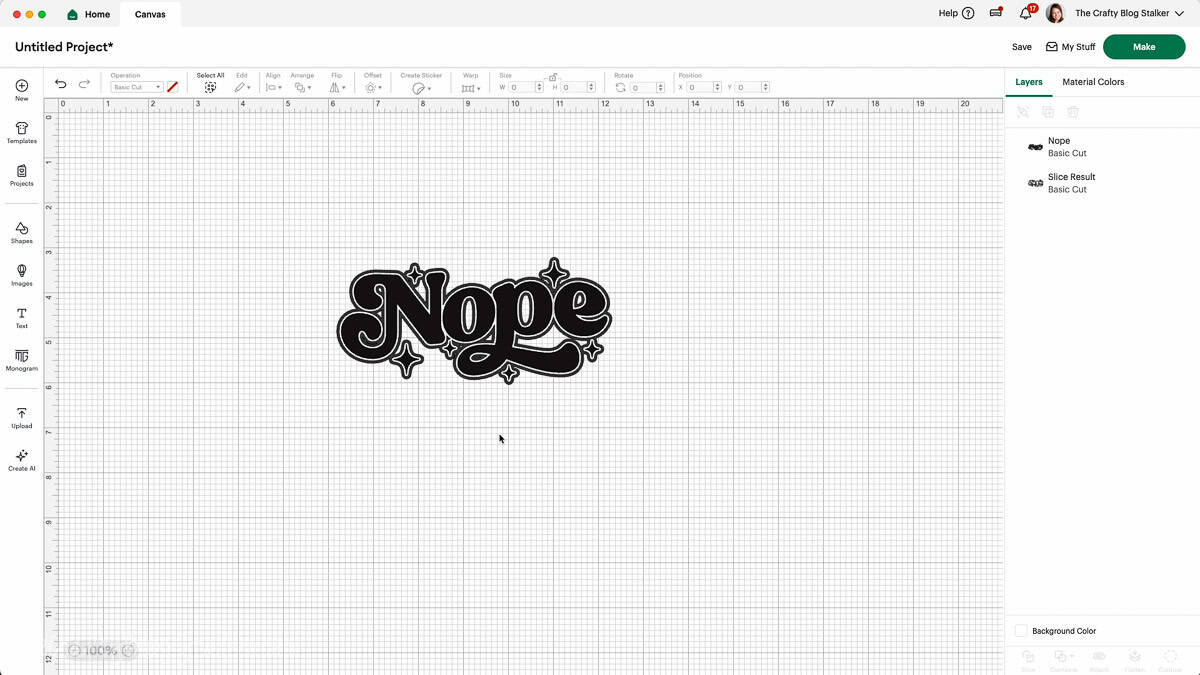
Highlight both layers and hit Attach.
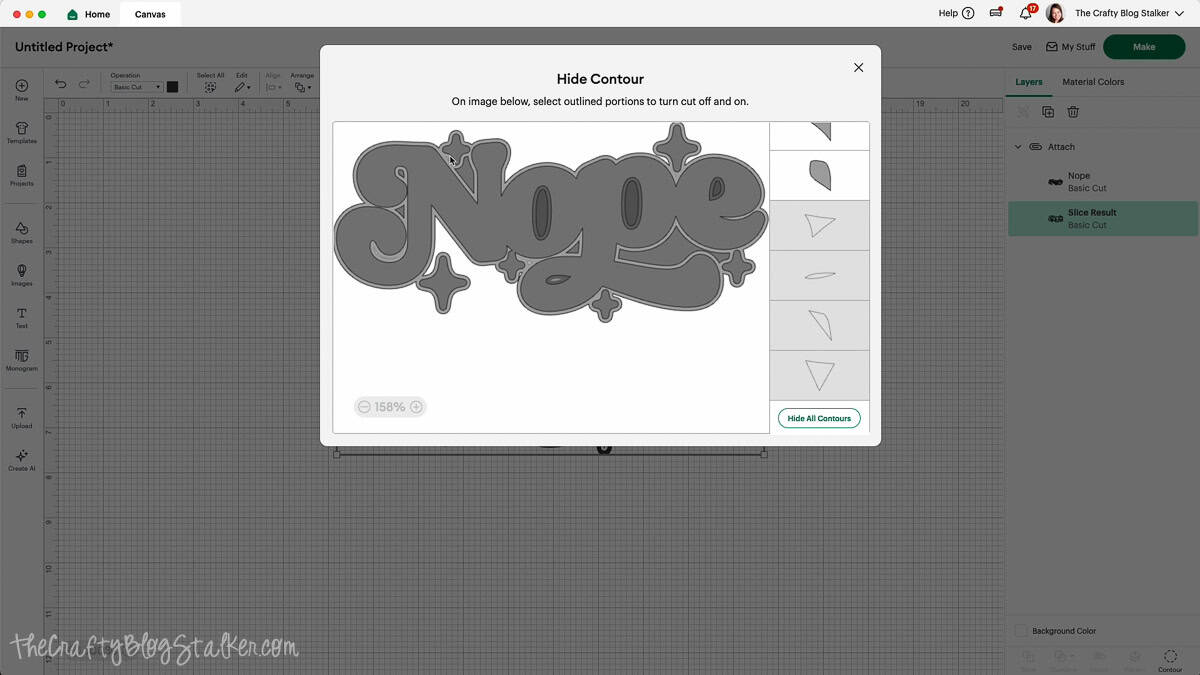
Contour (optional)
To remove tiny cuts, highlight the Slice Result layer in the layers panel, and select any of the tiny cuts.
This step isn't absolutely necessary, but I think it makes the final project look better.
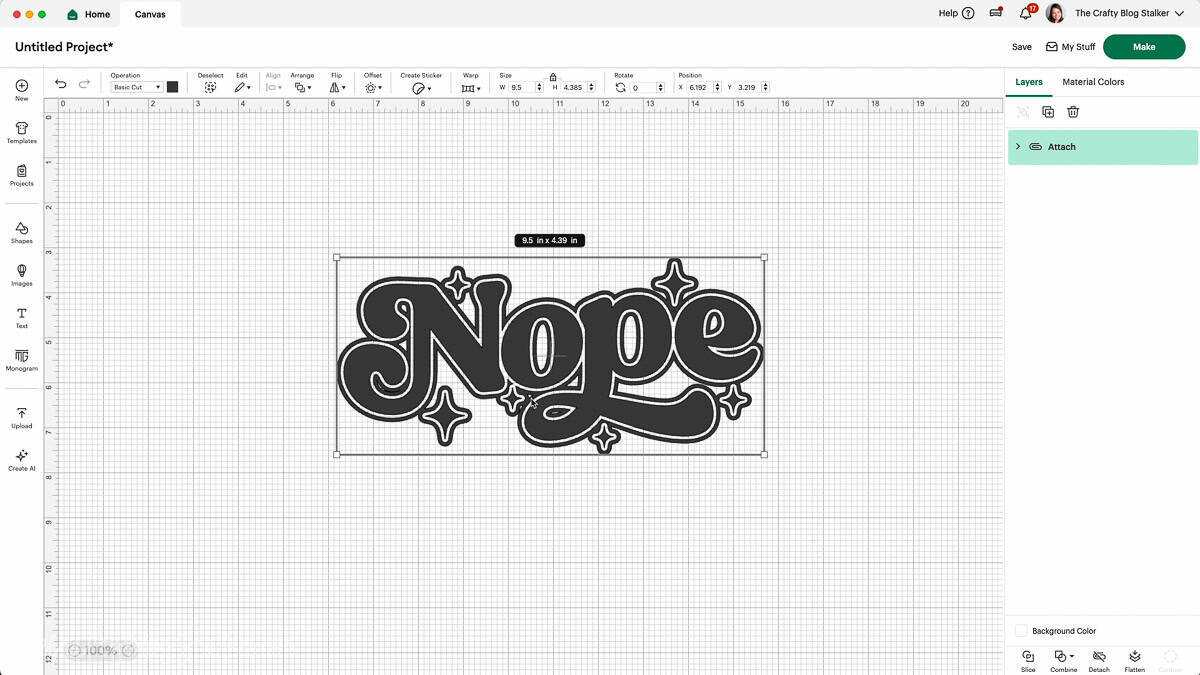
Now that the design is entirely ready, resize. I resized it to 9.5 inches wide.
Cut Super Pop HTV
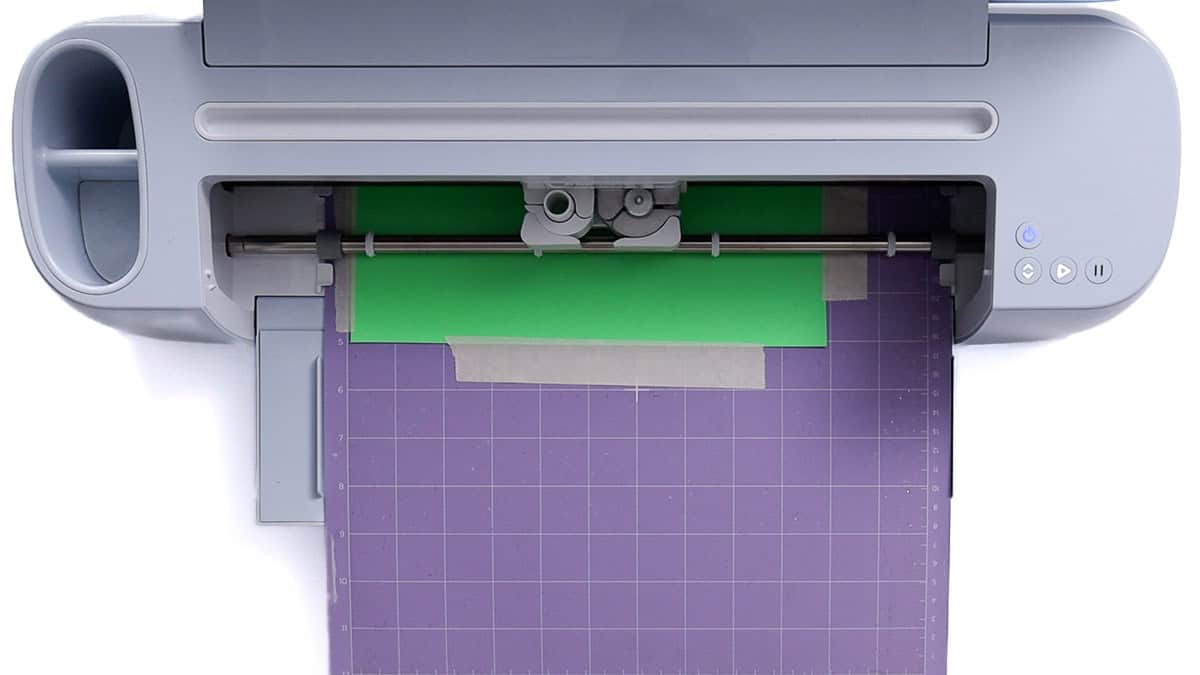
Cut a sheet of Super Pop HTV slightly larger than the design, and adhere it to a StrongGrip mat with the shiny side down.
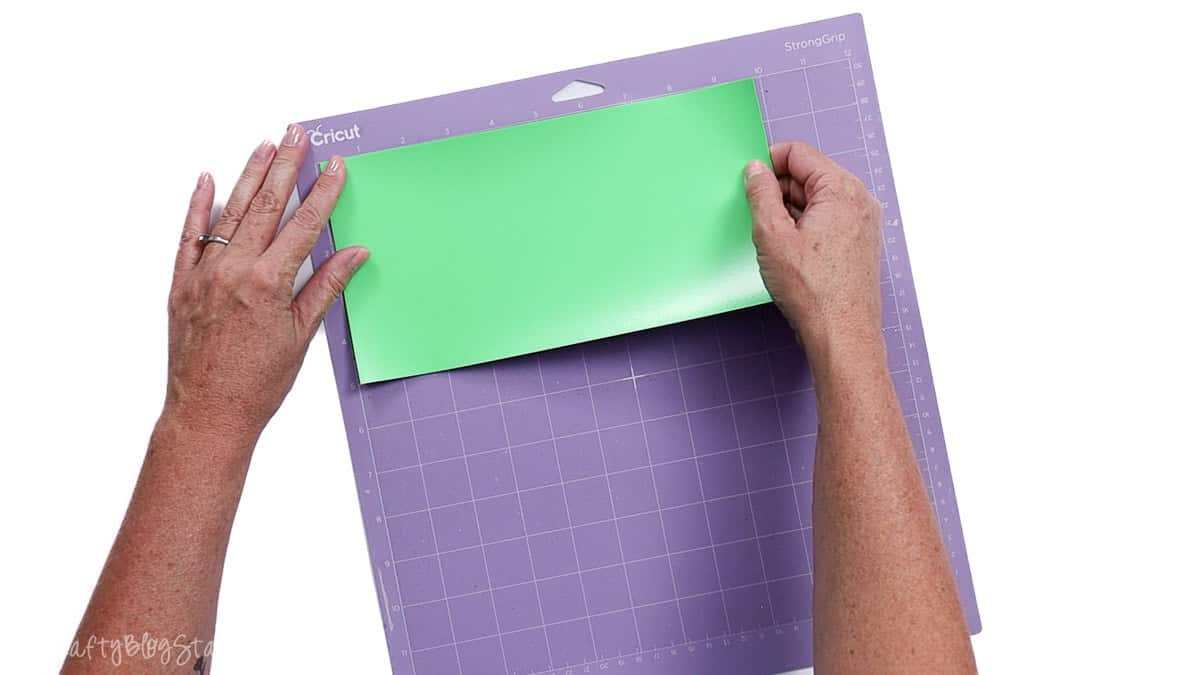
My StrongGrip mat is still sticky, but not as sticky as when it was new, so I also taped around the edges with masking tape to keep the material in place. I didn't want it to slip.
Mirror the design in Cricut Design Space, and set the material to Medium Cardstock (80lb).
If you are using regular HTV, use the Everyday Iron-On setting.
Load the mat, and cut with your Cricut cutting machine.
Weed the Design
Weeding this Super Pop HTV is so satisfying. The thicker material weeds so nicely.
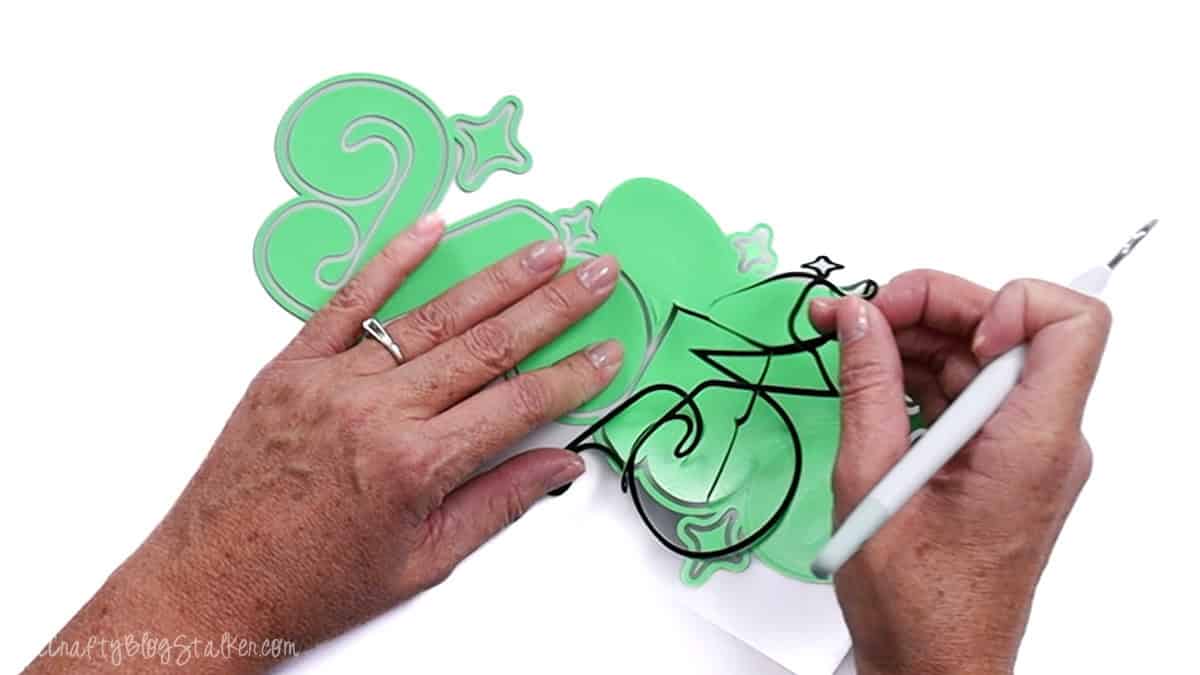
Make sure to turn the design over to check for any missed spots when weeding.

Apply the HTV Design
For Super Pop HTV, you'll need a heat press capable of applying heavy pressure.
I am using the Cricut Autopress. This press doesn't let you adjust the pressure, but I will share my hack for making it work.
If you are using a material other than Super Pop, check the heat settings for that material.
Set the heat press temperature to 310º F and the time to 10-15 seconds. I went with 13 seconds.
Go over the shirt with a lint roller to remove any strings or hair.
Find the center of the HTV design by folding it in half and pinching creases at the top and bottom.
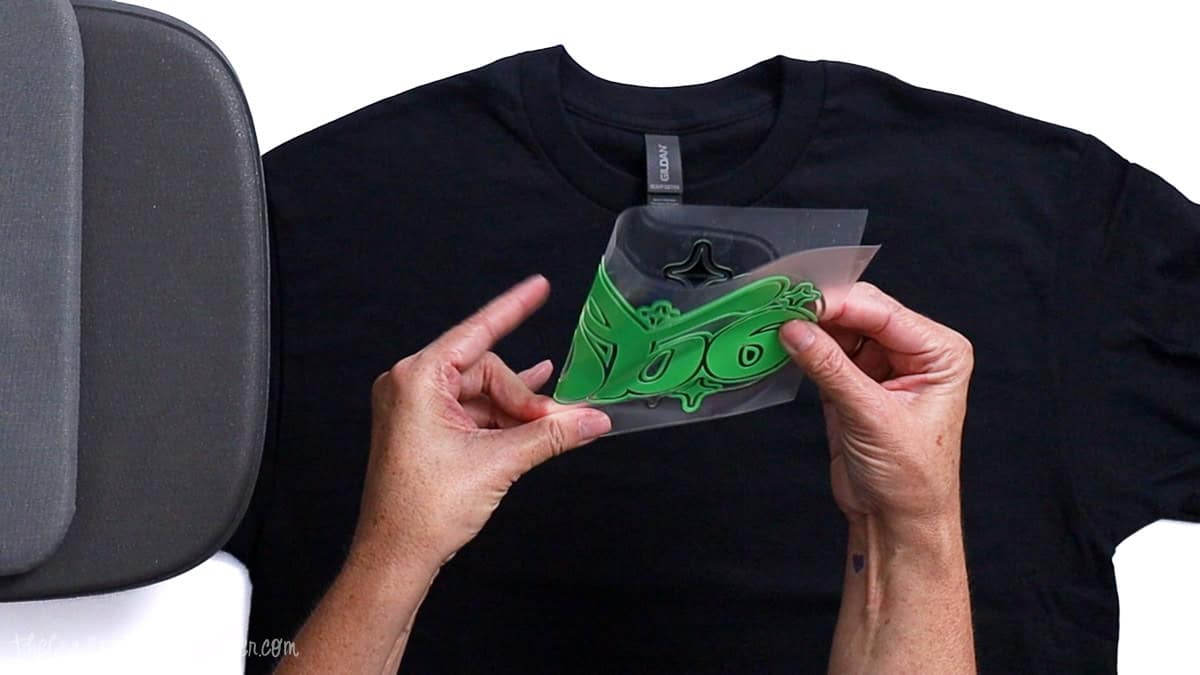
The design should be placed about 3 inches down from the shirt collar.
I have a t-shirt ruler that helps me find this position, but a regular ruler would work too.
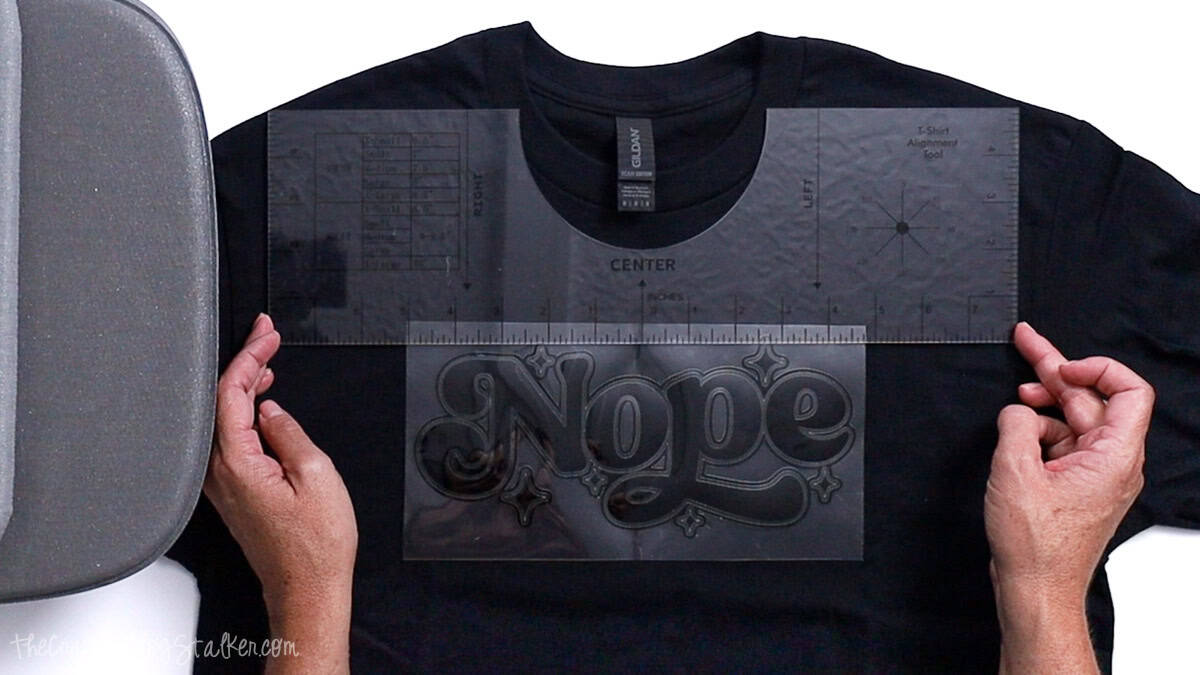
Use the adhesive of the HTV liner to stick the design exactly where you want it on the T-shirt.
More Pressure with Cricut Autopress
The hack to increase pressure with the Cricut Autopress is to trick it into thinking the material is thicker than it is.
I add a second EasyPress Mat to the Autopress, making the press thicker.
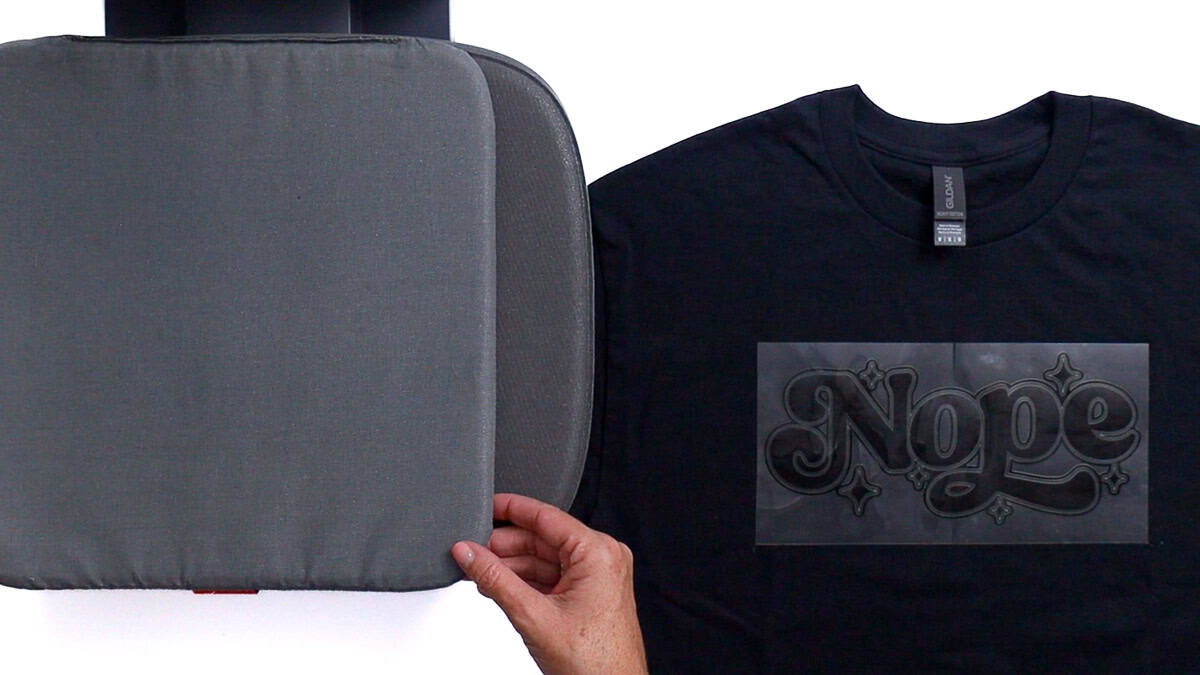
This hack may not work for all materials that need "more pressure", so make sure to test before using it for a final project.
Place the t-shirt on the press and close it to begin the timer.
When the timer is done, you should see a little bit of color seeping out around the edges.
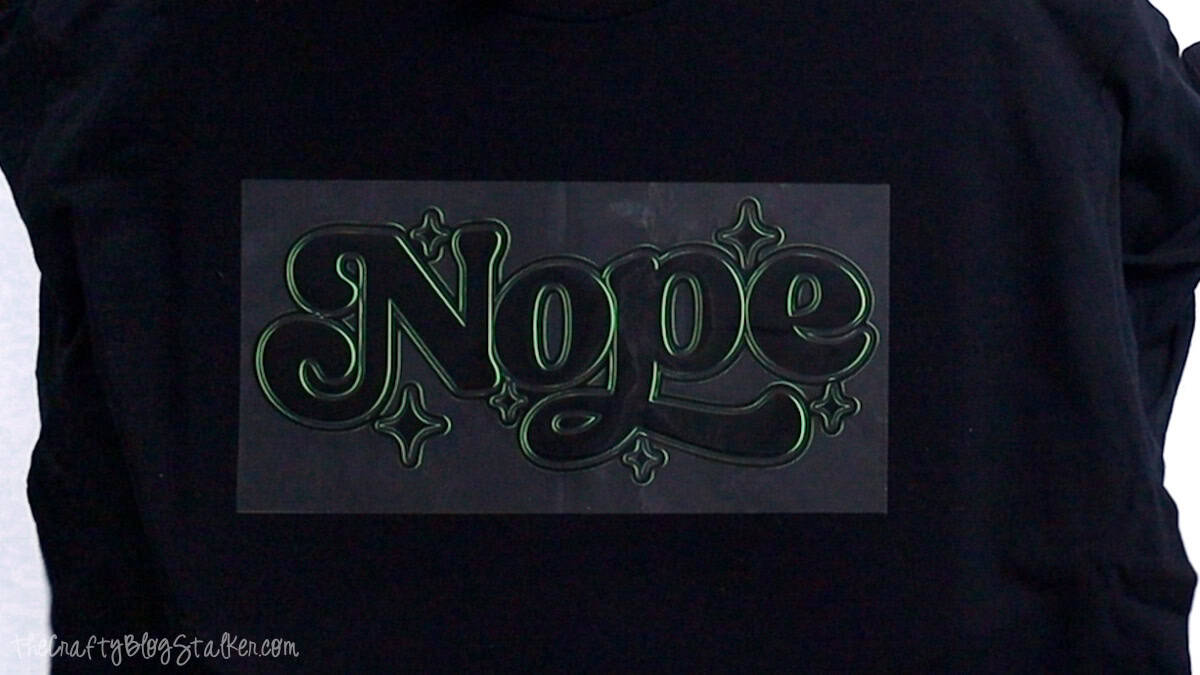
Peel Back the Liner
For Super Pop HTV, wait until the HTV has cooled completely and the transfer liner is no longer hot.
Once completely cooled, start at a corner of the liner and peel back slowly.
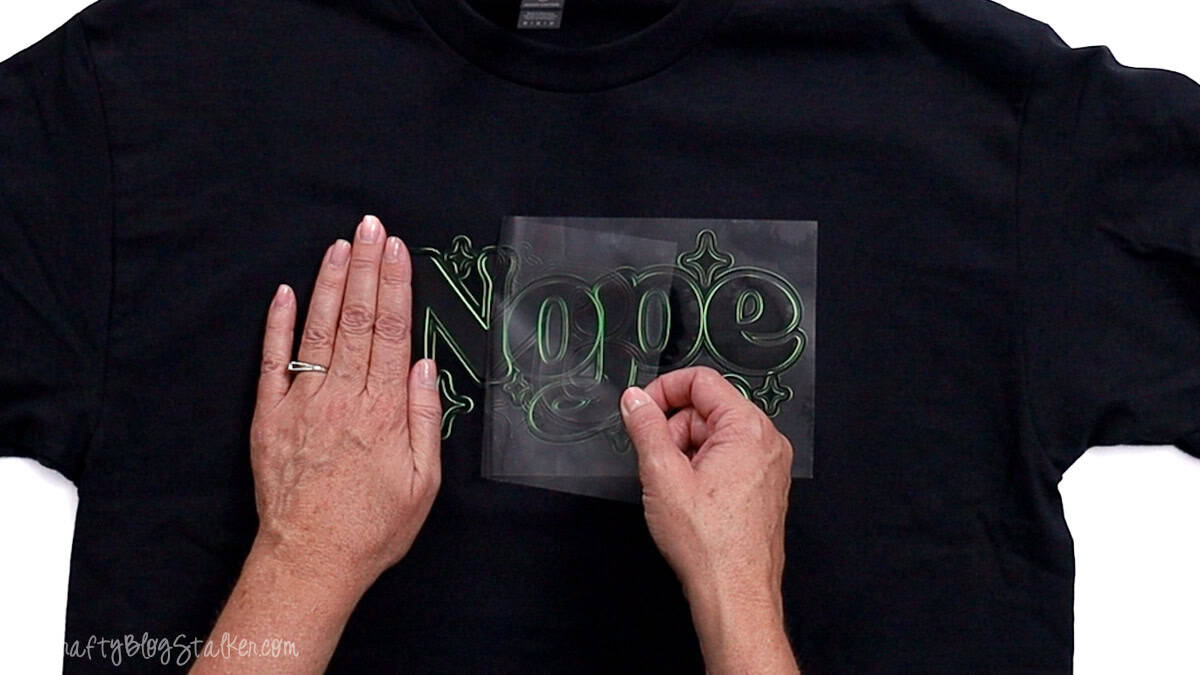
If any area doesn't stick to the t-shirt, put it back in the heat press for 5 seconds or go over it with an EasyPress Mini.
I love the effect of this Super Pop Vinyl and couldn't wait to wear my new shirt!
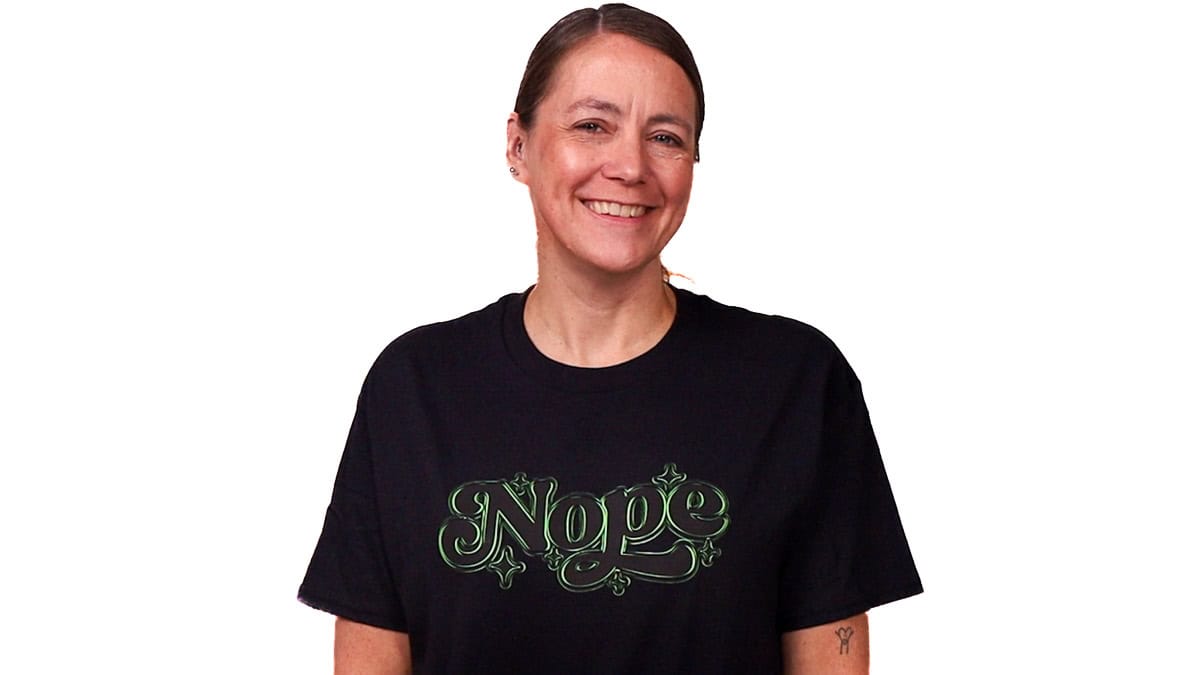
My daughter also loved it and asked for one with the Black and Pink Super Pop HTV.
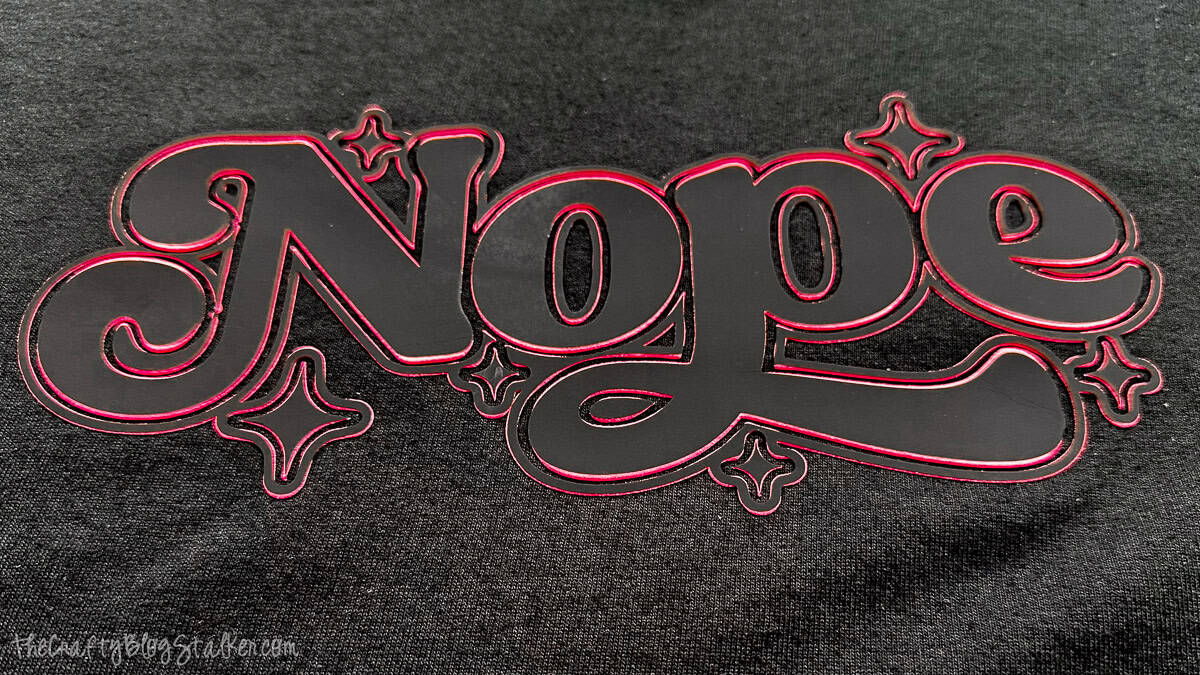
They both turned out so cute!
Super Pop 700 HTV
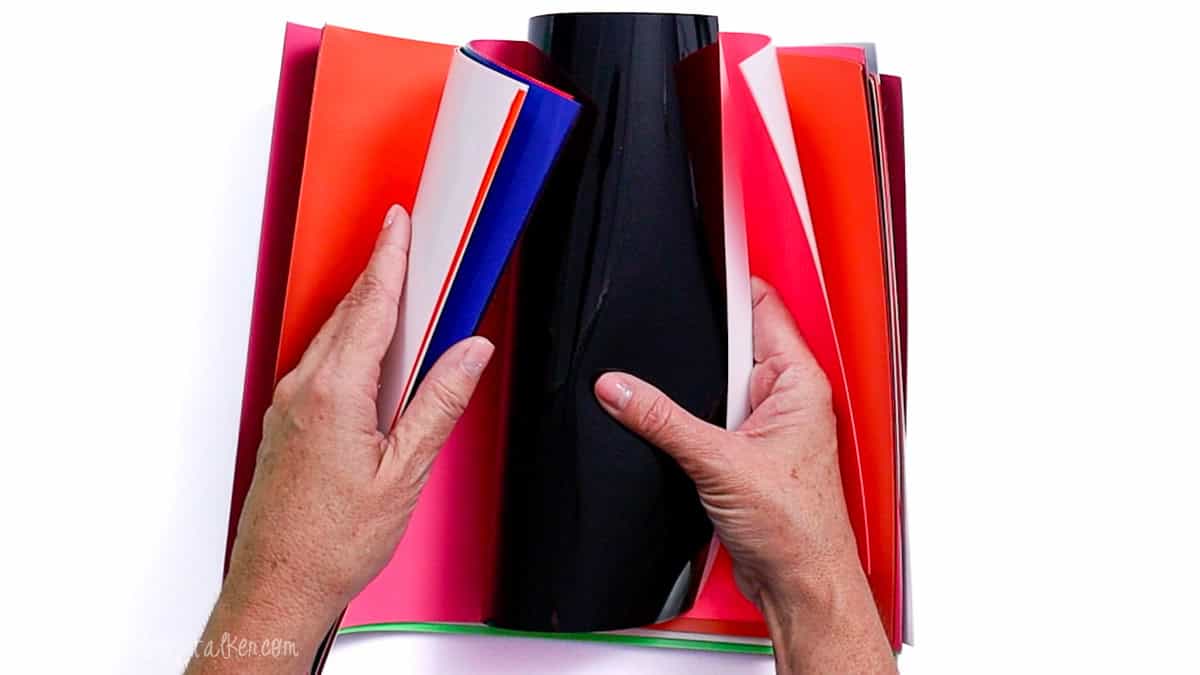
Super Pop Heat Transfer Vinyl is only sold by Vinyl and Tulle Supply.
It comes in many different two-color arrangements, and I can't stop thinking about all of the fun things I can make with it!
I may have purchased one of each color option. I love it so much.
Vinyl and Tulle Supply also has a great selection of Puff Vinyl, too, just in case you needed a few more supplies to fill your cart!
How to Care for Super Pop HTV
This material is entirely machine washable.
Just like with all other handmade clothing using HTV, turn it inside out and tumble dry to extend the item's longevity.
More HTV Craft Ideas
Don't put your Cricut and heat press away yet; there are more fun things to make!



Hi, I'm Katie!
I'm so glad you're here. Want to make something fabulous? I'm here to help!
Stephanie
No more rhyming now, I mean it 🙂
Katie
100 pts to you Stephanie!!
Lorraine Williamson
oh wow love this now I need to get a cricut thanks for the tutorial great job the t-shirt
Katie
Cute designs!
Katie
Thank you Katie!
Jonni - Minnie's Milestones
Thanks for the reminder! I have had a design in my head for a couple of years for a t-shirt.
Katie
I would love to see it when it is finished Jonni!
sarah @ foxy's domestic side
I've always wondered how people did this! I just recently (like 2 weeks ago) discovered that there is iron on vinyl! I have an old circuit...from 5 years ago...but I think it would still work? I really want to try this, but am so afraid of messing it up...although what do I really have to lose? Thanks for the great tutorial! You make me thing I can do it!
Katie
You totally can Sarah! You'll be hooked!
ERIN
You make this look easy so now I'm not intimidated to give it a try. Thank you!
Katie
Thank you Erin! I would love to see what you create!
Lacie
The design is super cute! I love the bloggers gonna blog! I actually have 2 Cricuts and haven't had any time to play with them. You have defiantly inspired me to wipe the dust off and crafting! Pinning! Thank you for link up at Funtastic Friday!
Katie
Thank you Lacie! You totally should get creating with your Cricuts. They are so muhc fun!
Life Loving
These look fabulous and they are individual so they are perfectly unique. Great idea!
Sally @ Life Loving
#LifeLovingLinkie
Kim @ This Ole Mom
I love your shirts they turned out cute. I have been wanting a Cricut for a long time. I might just have to get one now!!
Katie
Thank you so much, Kim! Making shirts really is fun and I have made quite a few over the last little bit.
Sarah Petrosky
Great tutorial! I couldn't find the Trendy t-shirt cartridge anywhere. Can you help?
Katie
Of course Sarah!
Once you are in Cricut Design Space, click on file and new. On the left-hand menu bar click on insert images.Then click on cartridges, type trendy in the search bar, and then the images will be right there. I hope that helps!
Have fun!
Jorge Salcines
Great tutorial, and awesome work.
Beth
How does this hold up after being washed? Really want to try this, just nervous about how well it will stay!
Katie
Hi Beth! It holds up pretty well. I still wear all of the shirts and it is almost a year later. Washing the clothing inside is helpful but also making sure it is good and stuck when applying. IF there are any edges that aren't stuck down good, that is where it will start to peel up.
Abhay Agarwal
Can u tell me the paper used for these print
Katie
I used an iron on vinyl. You can find it here: https://cricut.pxf.io/AW2oJ7 (affiliate)
Taylor
What kind of Circuit did you use for this? I'm considering investing in one for simple shirt making like this.
Katie
I did these shirts with the Cricut Explore. I love my Cricut!
Jill Newman
I've tried different things and keep having peeling problems, either right off the bat or after first wash. I'm getting frustrated because I have a lot of money invested and nothing seems to be turning out for me like for others. Any pointers? I need help and don't want to throw in the towel. I'd rather make the towel look cute!
Katie
Are you using a heat press? You really need consistent heat and pressure to get the vinyl to adhere properly. An iron just doesn't perform the same.